Yanmar Smartassist Direct Operation Manual
$20.00
- Type Of Manual: Operation Manual
- Number of Pages: 388
- Size: 57.3MB
- Format: PDF
-
Model List:
- Smartassist Direct
- 1. Overview
- 2. Operation Environment of SMARTASSIST-Direct
- 3. Contents of SMARTASSIST-Direct
- 3.1. Contents of the Program
- 3.2. Function Mode
- 3.3. Updating SMARTASSIST-Direct
- 3.4. License Security Check
- 3.5. License Expiration Date
- 3.6. Maintenance Information for the ECU, Driver, Pump and Other Parts
- 3.7. Software Serial Number and the License
- 3.8. Software Serial Number and the User ID
- 3.9. User ID and Password
- 4. Start, Stop and Finish Procedures
- 4.1. Operation Procedures
- 4.1.1. SMARTASSIST-Direct Connection
- 4.1.2. Power Supply
- 4.1.3. USB-Driver Installation
- 4.1.4. Availability of New-type I/F Box
- 4.1.5. How to Confirm the Terminal Information of the New-type I/F Box
- 4.1.6. Login Screen
- 4.1.7. Start Menu
- 4.1.8. Main Menu
- 4.2. Stop Procedure
- 4.3. Finish Procedure
- 4.4. Troubleshooting
- 5. Screen Functions
- 5.1. Basic Screen
- 5.1.1. Standard Tool Bar
- 5.1.2. Operation Tool Bar
- 5.1.3. Function Selection Tool Bar
- 5.1.4. Comment Box
- 5.1.5. Changing the Display Border Width
- 5.1.6. Screen Display Tool Bar
- 6. Error Diagnostic Function (ECU Access)
- 6.1. Starting the Error Diagnostic
- 6.2. ECU Information
- 6.2.1. Display
- 6.2.2. Screen Print
- 6.2.3. Saving Image Bitmap
- 6.2.4. File Save
- 6.3. Diagnostic Codes
- 6.3.1. Active DTC
- 6.3.2. Logged DTC (Expert Function)
- 6.3.3. DTC Information List
- 6.4. Freeze Frame Data (Expert Function)
- 6.4.1. Recoded Data
- 6.4.2. Trend Graph
- 6.5. Diagnostic Tests
- 6.5.1. Pulse/Analog etc
- 6.5.2. Digital IN etc
- 6.5.3. Digital Out (Expert Function)
- 6.5.4. Active Control (Expert Function)
- 6.5.5. Active Control (Graph)
- 6.5.6. Saving the Measured Data
- 6.5.7. Hysteresis Measure
- 6.5.8. Reference material Digital OUT/Active Control (Engine/2G Eco TNV series)
- 6.6. Data Logging (Expert Function)
- 6.6.1. Data Monitor
- 6.6.2. Overview of the Data Sampling Operation
- 6.6.3. Switching Screens
- 6.6.4. Continued Data Saving
- 6.6.5. Monitor Data Confirmation
- 6.6.6. Trend Graph (Expert Function)
- 6.6.7. Package Data Set
- 6.6.8. Reference material Data logging (Engine/2G Eco TNV series)
- 6.7. Historical Data
- 6.7.1. Lifetime Data Display
- 6.7.2. Map Table (Expert Function)
- 6.7.3. Log Data
- 6.8. ECU Structures (Expert Function)
- 6.8.1. Analog Channels
- 6.8.2. Digital Channels (Expert Function)
- 6.8.3. ECU ID Information
- 6.8.4. ECU Data Save
- 6.9. System Settings (Expert Function)
- 6.9.1. Configuration
- 6.9.2. Calibration
- 6.9.3. Initial Settings
- 7. Error Diagnostic Data Save and Display Functions
- 7.1. Error Diagnostic Data Save and Display Functions
- 7.2. Saving the ECU Data for Screen Display
- 7.3. Displaying the Saved ECU Display Data
- 7.4. Saving the Active Control and Hysteresis Measure Execution Data
- 7.5. Displaying the Saved Active Control and Hysteresis Measurement Execution Data
- 7.5.1. Displaying the Data
- 7.5.2. Reading the Reference Data
- 7.5.3. Moving the Display Location of the Reference Data
- 7.6. Saving the Data Logging Measurement Data
- 7.7. Displaying the Saved Data Logging Measurement Data
- 7.7.1. Displaying the Save Data
- 7.7.2. Reading the Reference Data
- 7.7.3. Moving the Display Location of the Reference Data
- 8. SClB Graph Function
- 8.1. Graph Settings
- 8.1.1. Analog Mode Basic Operation
- 8.1.2. Digital mode
- 8.1.3. Saving and Reading the Settings Value
- 8.2. Graph Control
- 9. Manual Link Function
- 9.1. Structure of the manual link function
- 9.2. PC functions required for display
- 9.3. Displaying Manual Link Data
- 9.4. Notice Screen When Starting the Diagnostic (Execution) Screen
- 9.5. Downloading Manual Link Data
- 9.6. Language Change Setting of Manual Link Data
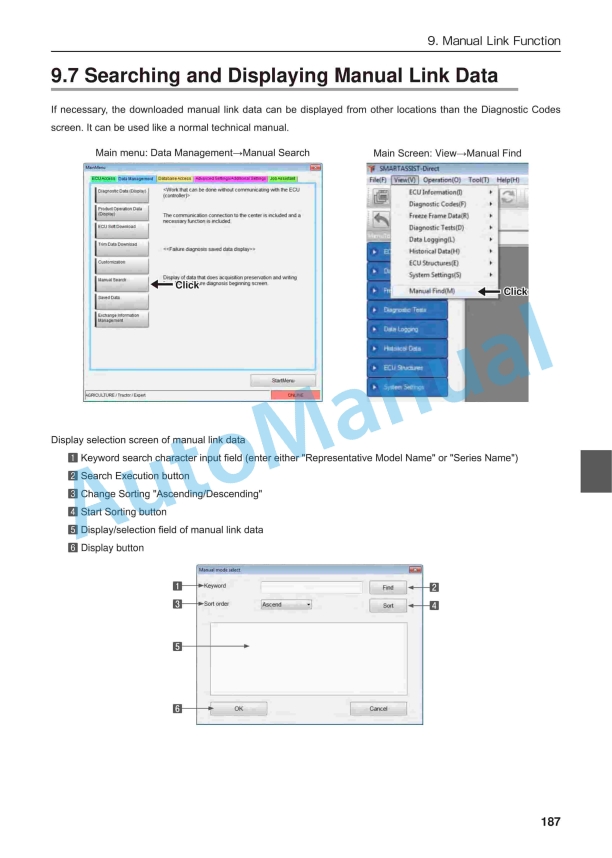
- 9.7. Searching and Displaying Manual Link Data
- 9.8. Deleting Manual Link Data
- 10. News Link
- 10.1. Development Background for the News Link
- 10.2. News Link
- 11. Functions Related to the Product Operation Data
- 11.1. Acquisition of Product Operation Data (Auto)
- 11.2. Acquisition Product Operation Data
- 11.3. Display Screen of Product Operation Data
- 11.4. Operation for the product operation data (Life time data)
- 12. Update the ECU Software
- 12.1. How to update the ECU software
- 12.2. ECU software download
- 12.2.1. Writing a new entry – Engine ECU software download
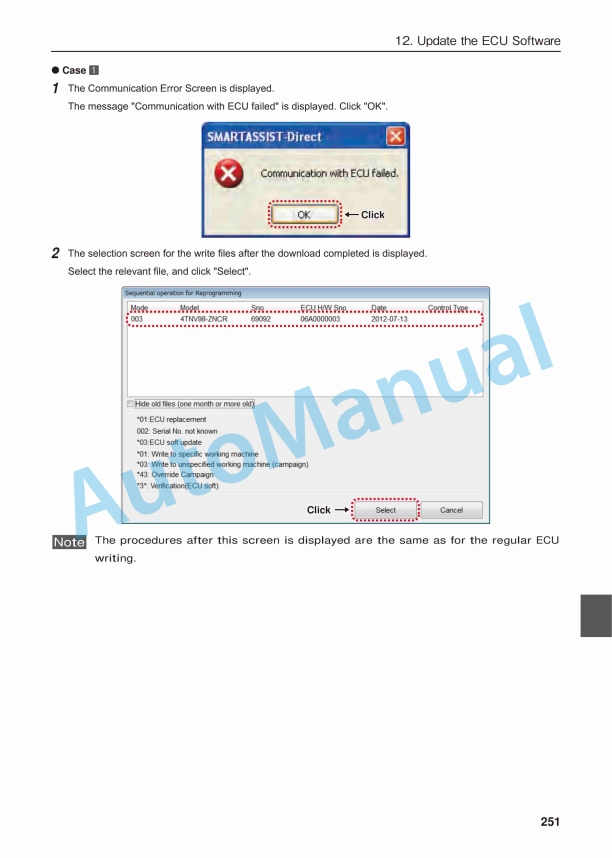
- 12.2.2. Writing a new entry – Engine ECU software download, supplement
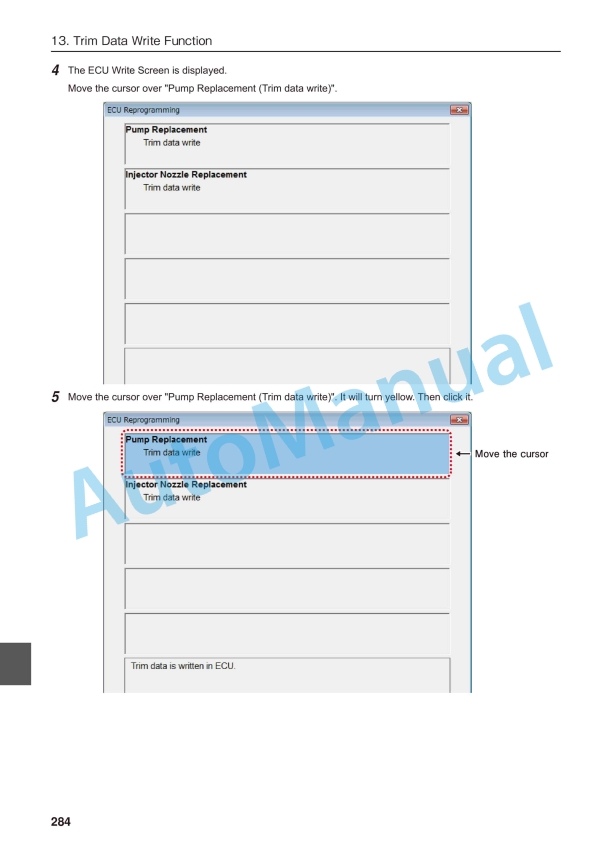
- 12.2.3. Writing a new entry – Engine ECU software writing
- 12.3. ECU software upload
- 12.4. Saving the Correction Value
- 12.5. Copying the Settings
- 12.5.1. Engine ECU exchange (ECUPC)
- 12.5.2. Copying the settings – Engine ECU exchange (ECUPC)
- 12.6. Error Messages During ECU Writing
- 12.6.1. Types of error messages
- 13. Trim Data Write Function
- 13.1. Injector
- 13.1.1. FIE Replacement (Execution)
- 13.1.2. FIE Replacement (Execution) Completion Automatic Upload
- 13.1.3. Trim Data download
- 13.1.4. FIE Replacement (Execution)
- 13.1.5. FIE Replacement (Execution) completion automatic upload
- 14. Exchange Information Management Function
- 14.1. Exchange Information Management Manual Completion/Cancellation Upload
- 14.2. Exchange Complete
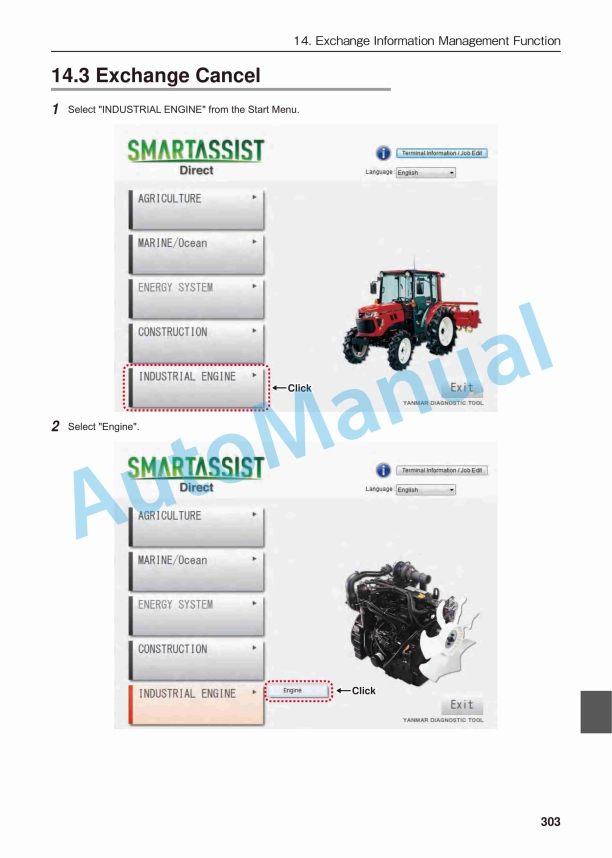
- 14.3. Exchange Cancel
- 14.4. Alarm Function when Replacement Data is Not Uploaded
- 14.4.1. Alarm Screen (During Online Operation/Data Download/Not Yet Written)
- 14.4.2. Alarm Screen (During Online Operation/ECU Not Yet Replaced)
- 14.4.3. Alarm Screen (During Online Operation/Pump Not Yet Replaced (Trim Data Write))
- 14.4.4. Alarm Screen (During Offline Operation/Automatic Replacement Completion Process Not Yet Performed)
- 15. Customization
- 15.1. Function Overview
- 15.2. Process Flow
- 15.3. ECU Software Update (Download)
- 15.4. ECU Software Update (Automatic Upload)
- 16. Data Management / Update Function
- 16.1. Data Management Function
- 16.1.1. Import Function
- 16.1.2. Export Function
- 16.1.3. Delete Function
- 16.1.4. Memo Edit Function
- 16.2. Data Update Function
- 16.2.1. Types of Data Updates
- 17. Tool Function
- 17.1. Communication Settings
- 17.2. Option Settings
- 18. Glossary
- 19. Terminal Information (Version Information)
- 20. Error Screen and Warning Screen
- 20.1. Error Screen
- 20.2. Error (Warning) Message
- 21. Attached Documents
Yanmar Operator Manual PDF
Yanmar 2TNV70 to 4TNV106T Industrial Engines Operation Manual 0ATNV-EN0019
Yanmar Operator Manual PDF
Yanmar 3JH4E, 4JH4AE, 4JH4-TE, 4JH4-HTE Operation Manual 0AJH4-G00102
Yanmar Operator Manual PDF
Yanmar 3TNV74F, 3TNV76F, 3TNV80F, 3TNV80FT, 3TNV88F, 3TNM74F Industrial Engine Operation Manual
Yanmar Operator Manual PDF
Yanmar 3JH5E, 4JH5E, 4JH4-TE, 4JH4-HTE Marine Engine Operation Manual
Yanmar Operator Manual PDF
Yanmar 4JH3-TE, 4JH3-TCE, 4JH3-HTE, 4JH3-DTE Marine Diesel Engine Operation Manual
Yanmar Operator Manual PDF
Yanmar 2TNV70 to 4TNV106T Industrial Engine Operation Manual 0ATNV-G00100